

Activity Conversion Dashboard
Overview
The Activity Conversion dashboard controls which activities racers can log and how those activities convert into race miles. Enable generic conversions from Racery's built-in library or create custom activities unique to your race.
Accessing the Dashboard
From your race's dashboard hub, click Activity conversion.

Generic Conversions
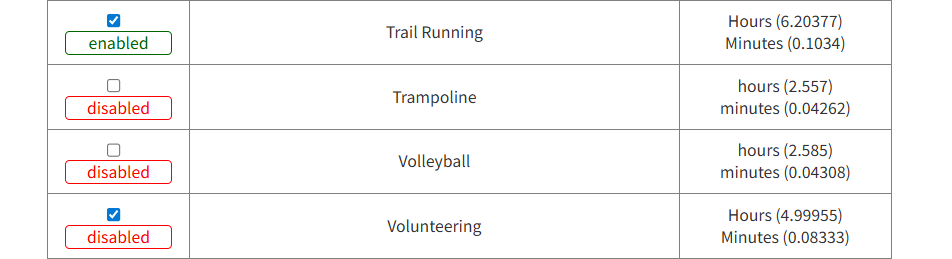
Racery provides a library of pre-built activity conversions. Each activity has a State (enabled/disabled), an Activity name, and one or more unit conversions (e.g., miles, kilometers, meters, hours, minutes).
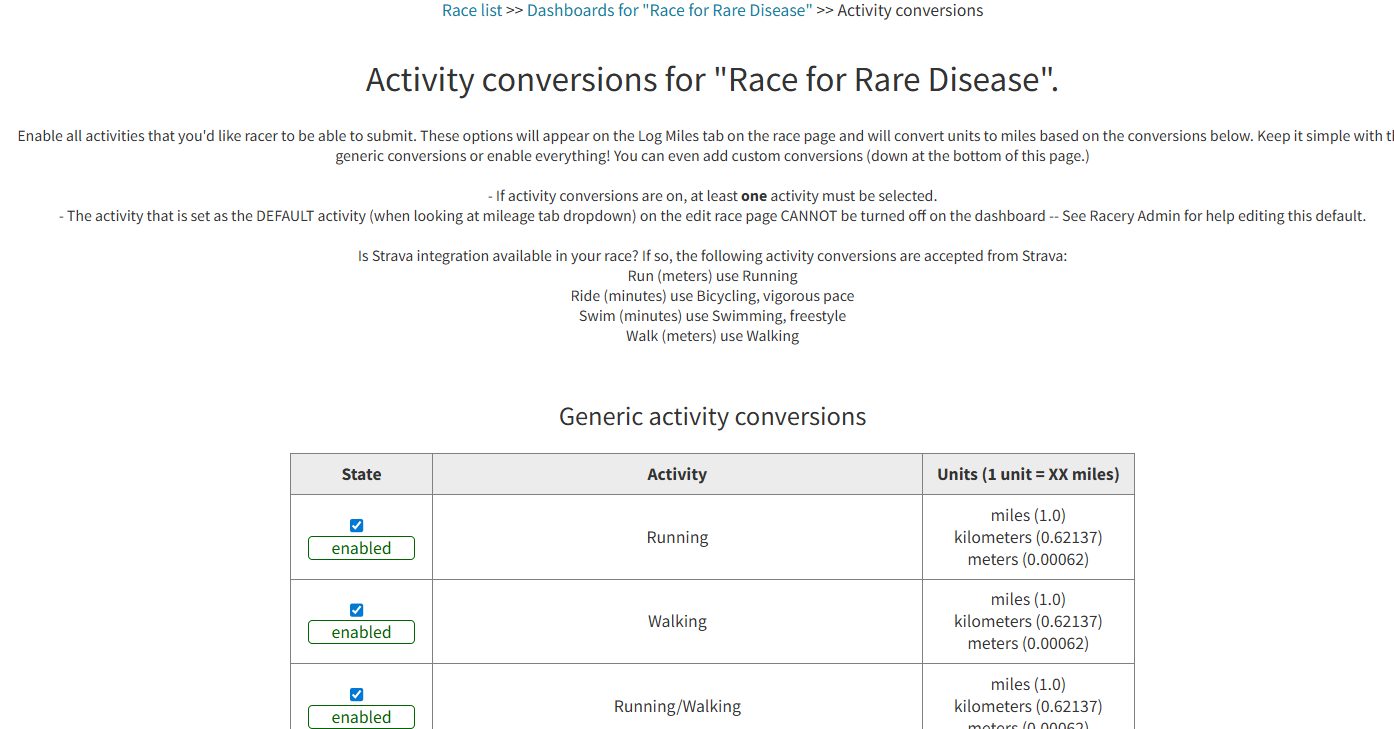
- At least one activity must be enabled if conversions are turned on
- The default activity (set on the edit race page) cannot be disabled from this dashboard — contact a Racery Admin to change it
- Each conversion shows the rate:
1 unit = XX miles(e.g., 1 kilometer = 0.62137 miles)
Custom Conversions
Create custom activities at the bottom of the page for anything not in the generic library. Each custom conversion needs:
- Activity name (e.g., "Phone Abstinence")
- One or more units with a name (e.g., "hour", "minutes") and a conversion rate (
1 unit = XX miles)
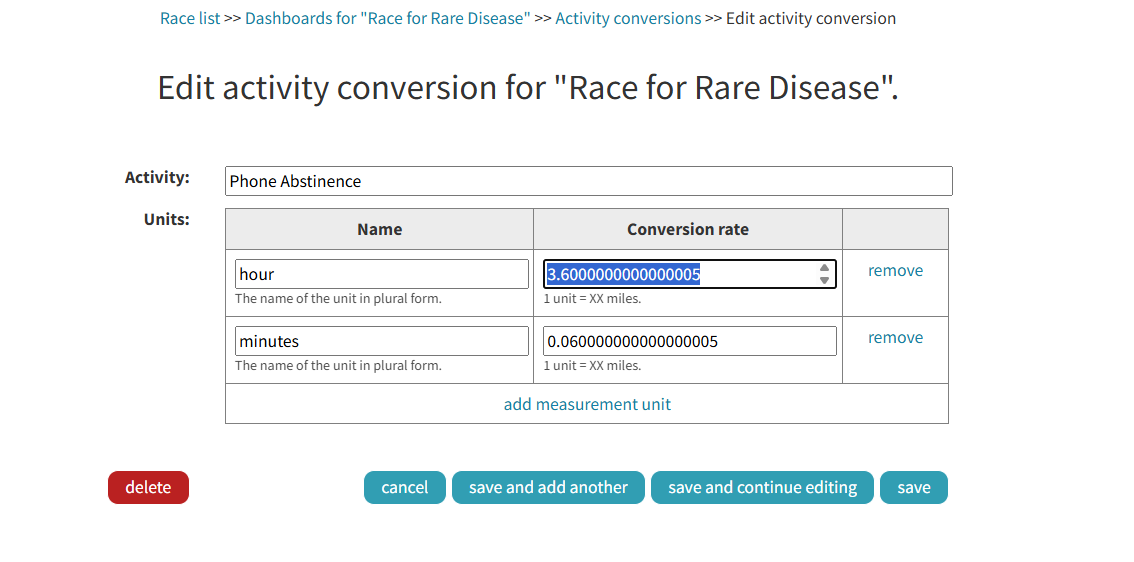
Tip: Use "add measurement unit" to let racers log the same activity in different units (e.g., both hours and minutes).
Strava Integration
If Strava integration is enabled for your race, certain activities are automatically accepted from Strava:
| Strava Activity | Racery Conversion |
|---|---|
| Run (meters) | Running |
| Ride (minutes) | Bicycling, vigorous pace |
| Swim (minutes) | Swimming, freestyle |
| Walk (meters) | Walking |
What Racers See
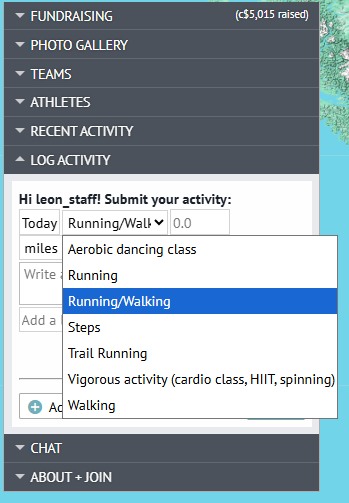
Enabled activities appear in the "Log Miles" dropdown on the race page. Racers select their activity type and enter the amount — the system converts it to miles automatically.
Next Steps
Activity Types
Full list of 80+ supported activities and conversion rates.
Sponsor Dashboard
Overview of all available dashboard tools.
Reports Dashboard
Export activity frequency and other race data.
Contact support if you have questions.