

Coupon Codes Dashboard
Overview
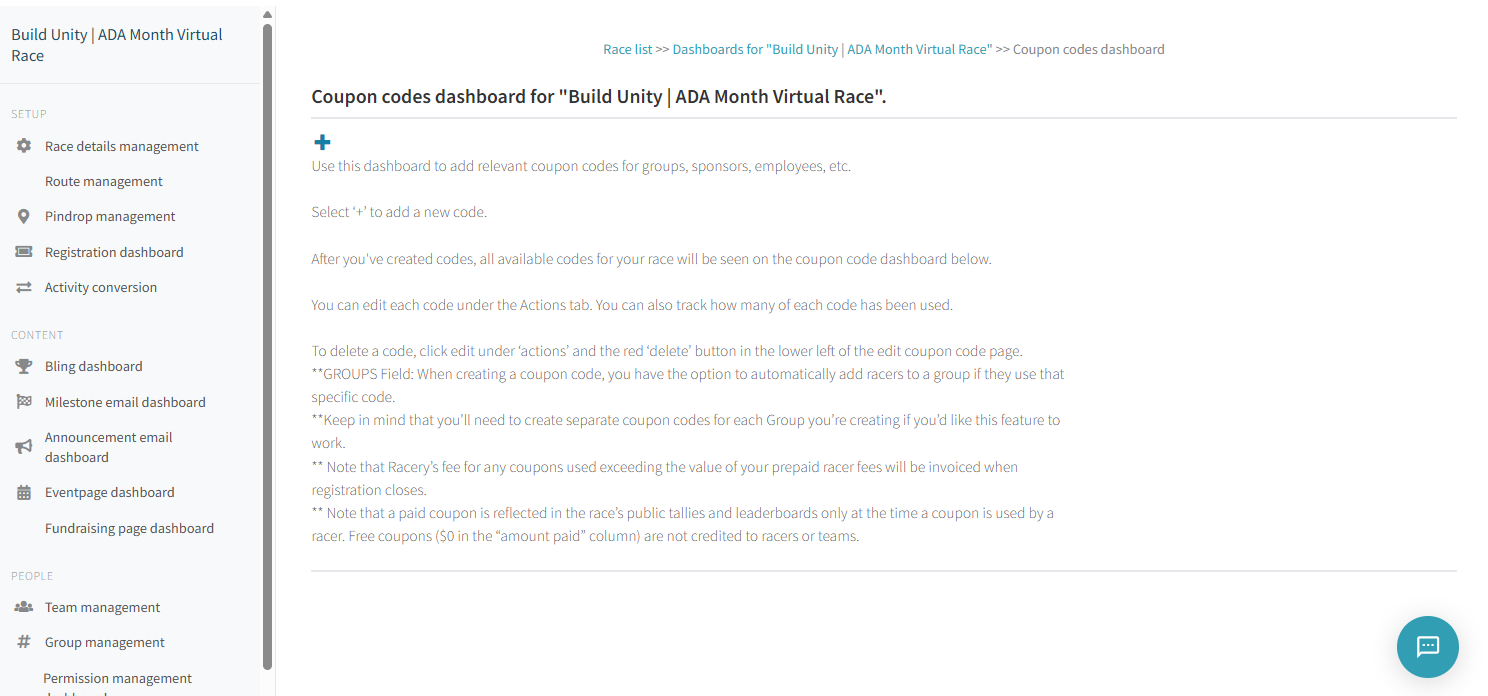
The Coupon Codes dashboard lets you create discount and free-entry coupon codes for groups, sponsors, employees, partners, and VIPs. Coupons can optionally auto-assign racers to a specific group when redeemed.
Accessing the Dashboard
From your race's dashboard hub, click Coupon codes in the sidebar.
Creating a Coupon
Click the + button at the top of the dashboard to open the coupon editor. Each coupon has the following fields:
| Field | Description |
|---|---|
| Code | Case-insensitive, single-word, letters only (hyphens and underscores allowed). 15 character limit. |
| Value in USD | Up to 2 decimal places. Leave blank for free-entry codes. |
| Amount | Total number of times this code can be used. Leave blank for unlimited uses. |
| Group | Auto-assign racers who use this code to the specified group. |
| Enabled | Toggle the coupon on or off without deleting it. |
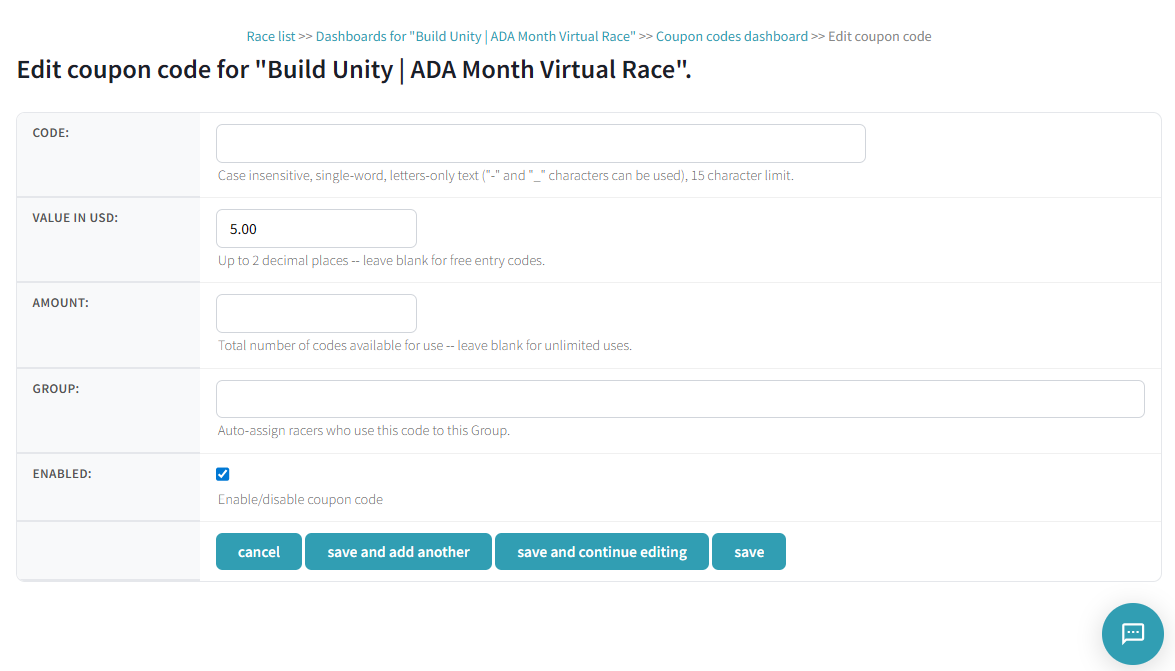
Save options: cancel, save and add another, save and continue editing, or save.
Coupon Types
Discount Coupons
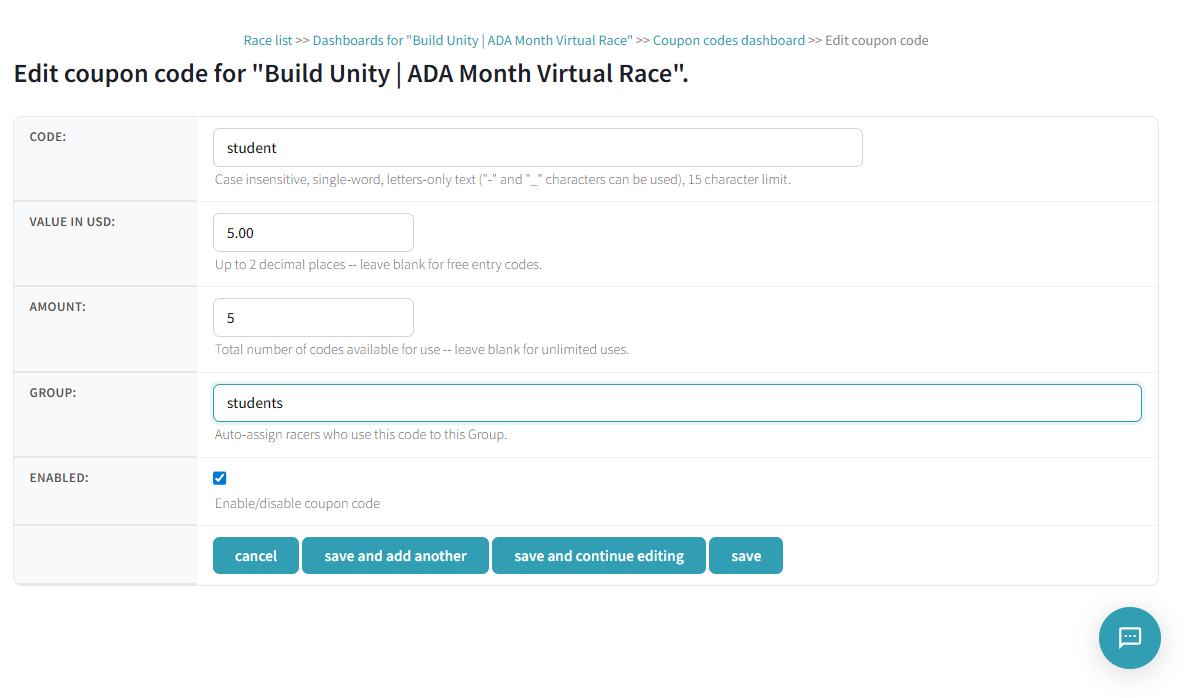
Set a dollar amount in the Value in USD field to create a discount. For example, a code named student with a value of 5.00 gives racers $5 off the registration fee.
Free Entry Coupons
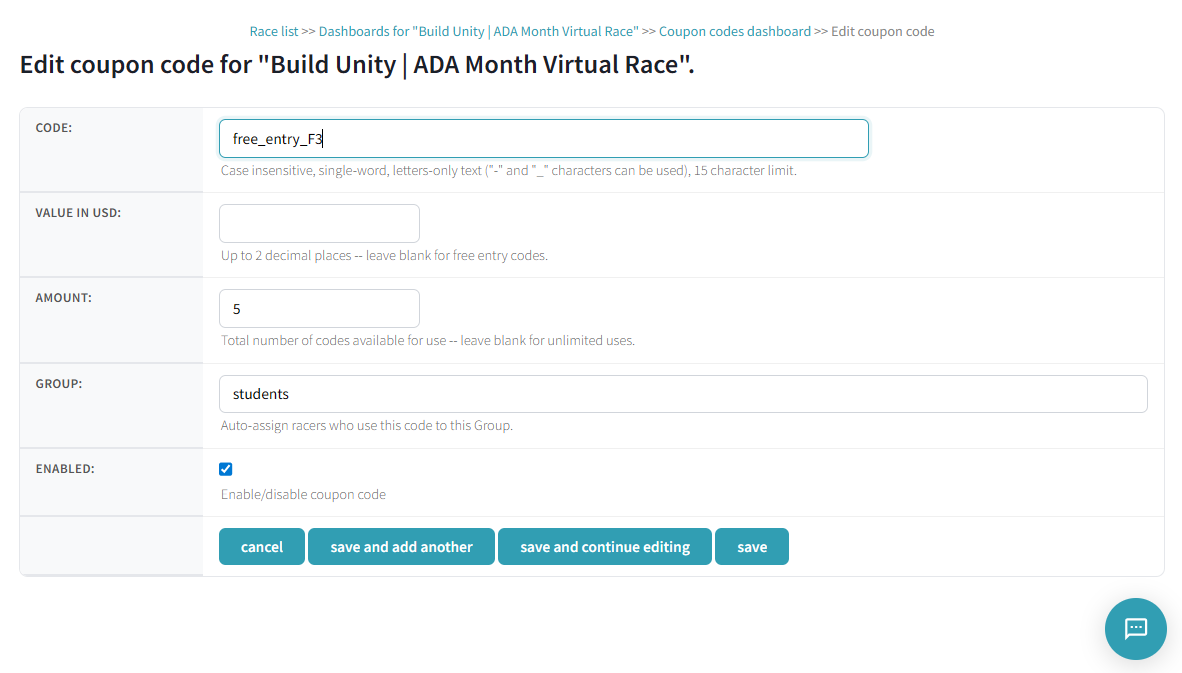
Leave the Value in USD field blank to create a free-entry coupon. For example, a code named free_entry_F3 with no value lets racers register at no cost.
Group Auto-Assignment
When creating a coupon, you can link it to a group in the Group field. When a racer redeems the code, they are automatically added to that group.
Managing Coupons
All coupons for your race appear in a table on the dashboard with the following columns:
| Column | Description |
|---|---|
| Code | The coupon code text |
| Created | Date the coupon was created |
| Value | Dollar discount amount |
| Amount Paid | Total revenue collected through this coupon |
| Used | Number of times the code has been redeemed |
| Remaining | How many uses are left |
| Group | Linked group (shown as #groupname) |
| Actions | Edit icon to modify or delete the coupon |

To edit a coupon, click the edit icon under Actions. To delete a coupon, open the editor and click the red "delete" button in the lower left.
Common Use Cases
Sponsors typically use coupon codes in these scenarios:
- Employee access: Create a free-entry code (e.g.,
blessing_everb) so sponsor employees can join without paying - Demo testing: Create a free code (e.g.,
free-entry) for sponsors to test the registration flow before launch - Town hall promotions: Create a limited-use discount code (e.g.,
town_hallwith a $10 discount for 20 uses) to distribute at events - Partner incentives: Create codes for community partners, affiliates, or VIPs
- Bulk buy links: Combine coupons with the bulk buy URL (
racery.com/r/<slug>/bulkbuy) for organizations purchasing multiple entries
Note: The Coupon Codes dashboard is a premium feature available with prepaid race packages. The coupon field appears on the registration page automatically when coupons are enabled.
Billing Notes
- Coupons used beyond your prepaid racer fees will be invoiced when registration closes
- A paid coupon is reflected in the race's public tallies and leaderboards only at the time a coupon is used by a racer
- Free coupons ($0 in the "amount paid" column) are not credited to racers or teams in public standings
Next Steps
Pricing Your Race
Set entry fees and understand how coupons interact with pricing.
Registration Dashboard
Customize the registration page where racers enter coupon codes.
Group Management
Create groups that coupons can auto-assign racers to.
Contact support if you have questions.